Features
Everything in the alpha.
Each area below lists what Tenvek 0.1.0 does today.
Edit
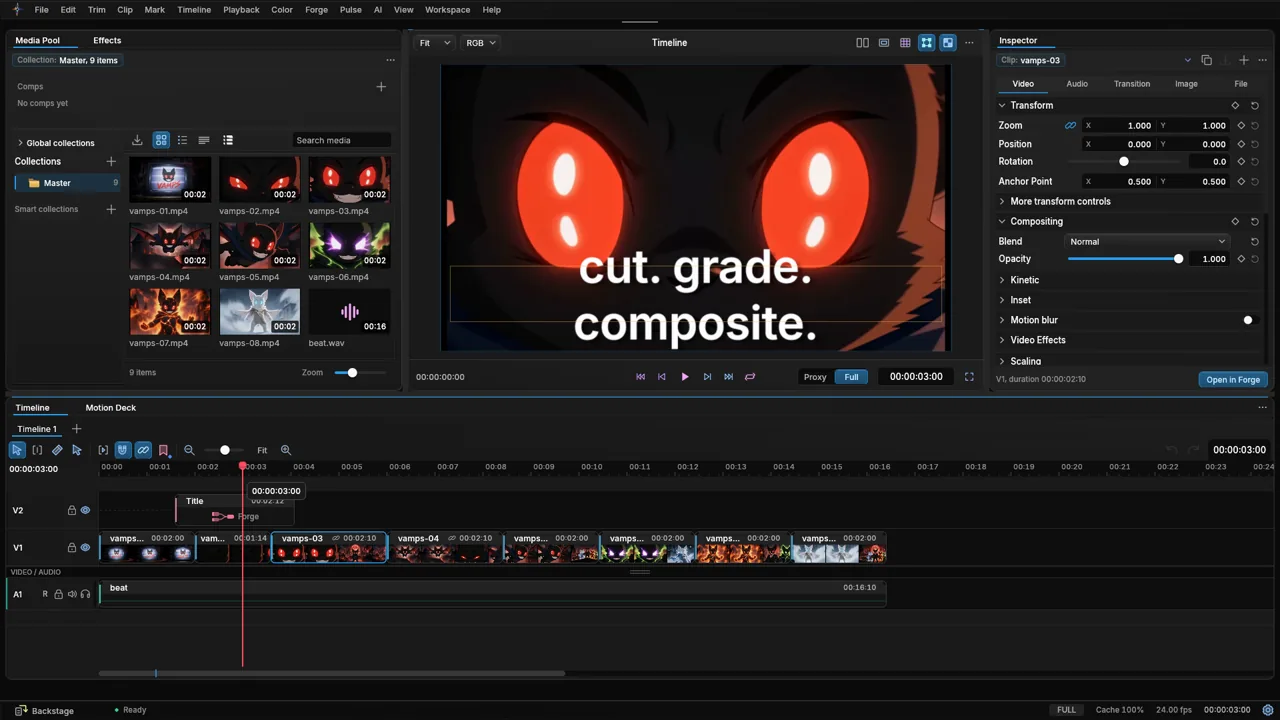
- Timeline
- Multi-track video, title and audio tracks.
- Editing
- Split, trim, ripple delete, undo and redo.
- Media pool
- Collections, smart collections and search.
- Viewer
- Proxy and full quality playback.
- Inspector
- Transform with zoom, position, rotation and anchor point. Blend, opacity, motion blur and video effects.
- Render in Place
- Replace a clip with effects by a rendered copy that plays smoothly.
- Heavy media
- Tenvek offers optimized media when a clip is too heavy for the PC. Originals stay linked.
Forge
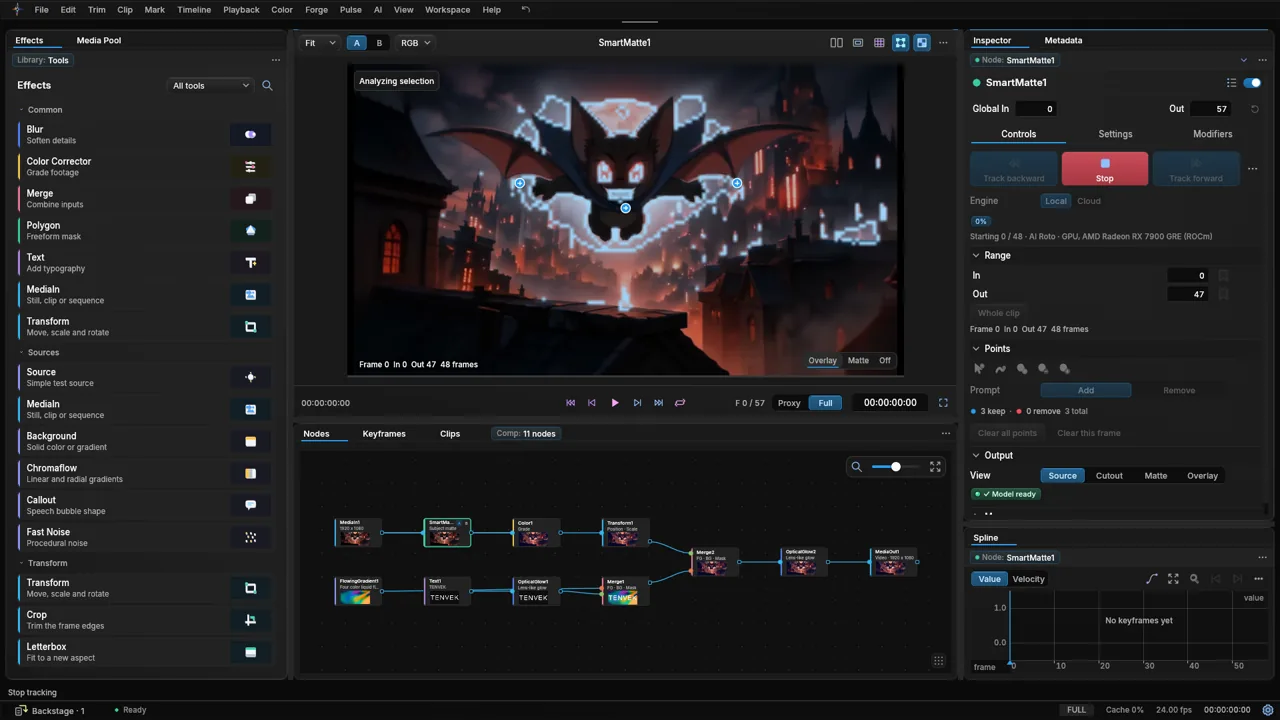
- Graph
- Nodes for media, Smart Matte, color, transform, gradient, text, glow and merge.
- Effects
- Blur, Color Corrector, Merge, Polygon, Text, Transform, Background, Chromaflow, Fast Noise, Crop and Letterbox.
- Keyframes
- A keyframes tab and a spline editor with value and velocity.
- Inspector
- Live controls for the selected node.
Smart Matte
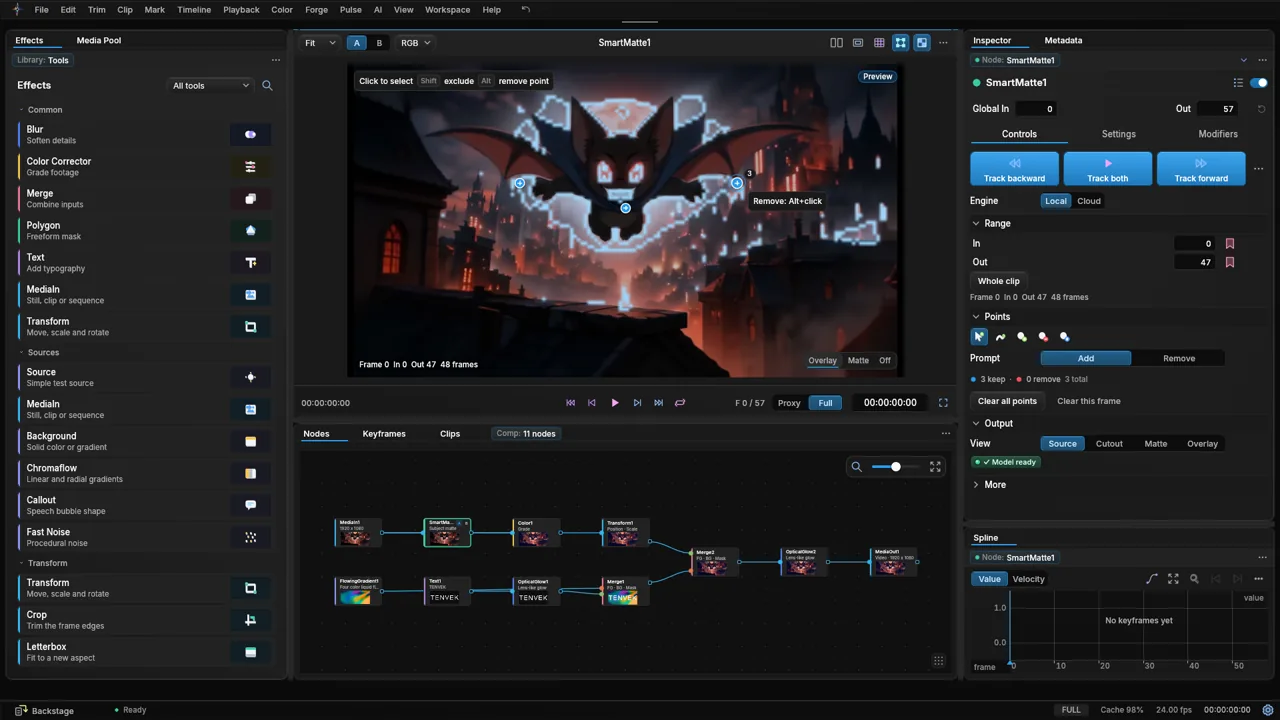
- Selection
- Click points add or remove. SAM 2.1 builds the mask.
- AI Roto
- MatAnyone2 tracks the subject through the clip.
- Direction
- Track backward, forward or both.
- Range
- Set in and out points, or use the whole clip.
- Engine
- Local on your GPU, or Cloud on our GPUs. Cloud is free in the alpha.
- Privacy
- Frames are sent only when you choose Cloud. They are deleted after the matte comes back.
- GPU
- CUDA runtime on NVIDIA, an AMD runtime, and DirectML or CPU on other cards.
Color
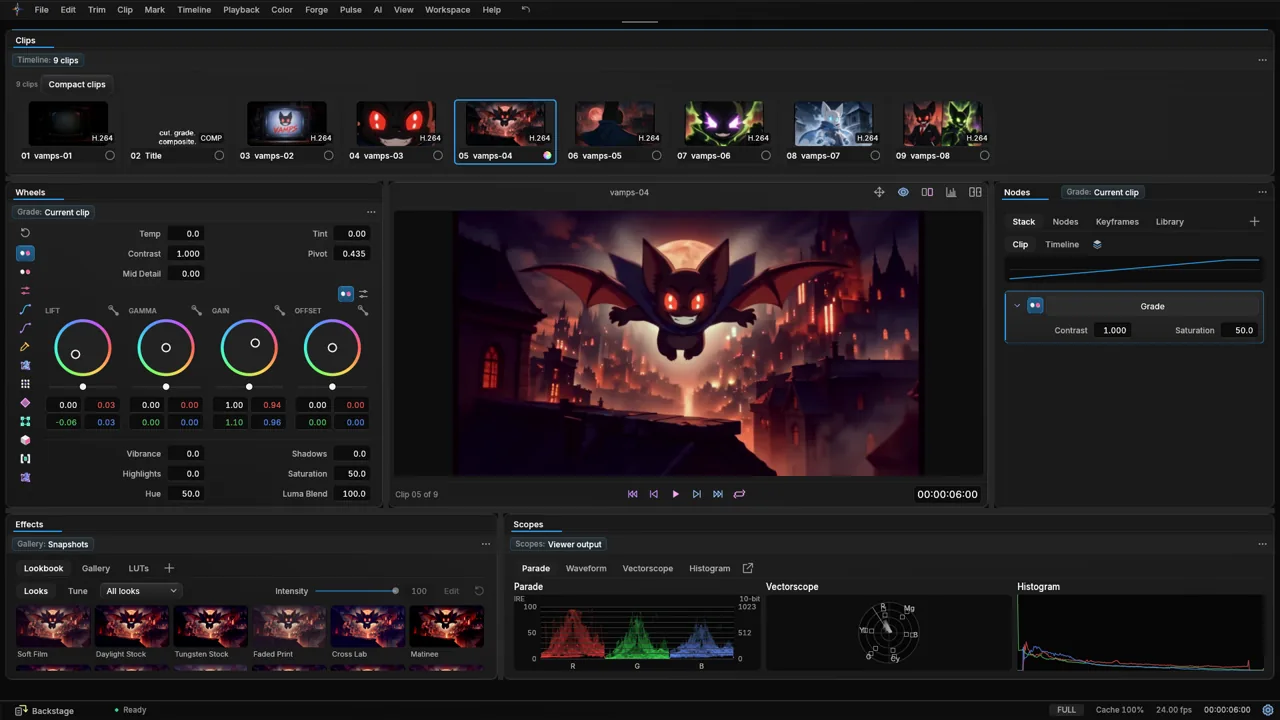
- Wheels
- Lift, gamma, gain and offset.
- Controls
- Temp, tint, contrast, pivot, mid detail, vibrance, shadows, highlights, saturation and hue.
- Curves
- A curves editor.
- Scopes
- Parade, waveform, vectorscope and histogram.
- Looks
- A lookbook with Soft Film, Daylight Stock, Tungsten Glow, Faded Print, Cross Lab and Matinee. Intensity slider, gallery and LUTs.
Image Studio
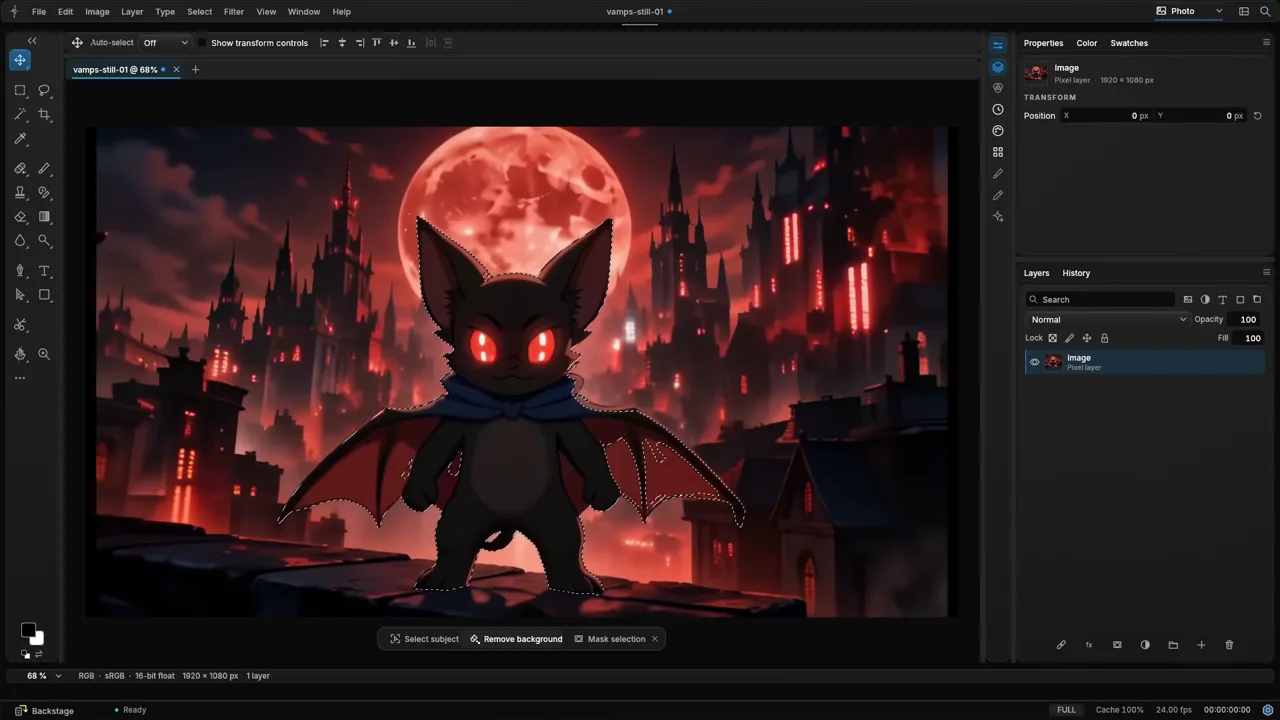
- Modes
- Photo, Vector and Lumen are three views of one document. Switching modes never changes it.
Photo
Paint, retouch and composite pixels.
- Select subject
- Finds the subject in a still.
- Remove background
- Leaves the subject on a transparent layer.
- Layers
- Layers with masks, blend modes and a history panel.
- Generative Fill
- Fill a selection from a prompt, or grow the canvas with Generative Expand. Uses a connected ChatGPT app or a downloaded local model.
- Depth Blur
- A lens blur driven by the depth map, with the optional Depth pack.
- Upscale
- Real-ESRGAN photo and anime, Real-CUGAN and waifu2x with the optional Enhance pack.
Vector
Draw shapes, paths and type.
- Vector art layers
- Shapes, paths and type live as vector layers in the same document.
- Image trace
- Turns a Smart Matte cut-out into clean vector paths in one step.
- Files
- Open and save SVG, PDF, AI and EPS.
Lumen
Develop light, color and detail.
- Develop
- Exposure, contrast, highlights, shadows, texture, clarity and more, without changing the pixels.
- Curves
- Tone curves for the master and each color channel.
- Color mixer
- Hue, saturation and luminance for each color band.
- Looks
- Named looks with an amount slider, plus auto tone.
- Local masks
- Gradient, depth, luminance, subject, sky and background masks, each with its own adjustments.
- Relight
- A light rig with AI depth. See Lighting below.
Lighting
Lumen
Relight
Place lights around your subject. AI depth makes the light wrap the subject, so the glow follows its shape.
Grade and Forge
Light Rays
Volumetric light rays for your footage and composites. Rays stream from the bright parts of a shot.
Relight
Place lights around the subject. AI depth makes the light wrap it.
- Lights
- Point, spot, softbox, sun, rim and environment.
- Per light
- Position, height, intensity, color temperature, softness, falloff, shadows and highlights.
- Rig
- Ambient level, relief strength, delight, wrap, occlusion and edge wrap.
- Starter rigs
- Rembrandt, Butterfly, Split, Loop, Rim pair, Golden hour, Neon two-tone and Studio softbox.
- Depth
- Uses the optional Depth pack. Tenvek estimates depth the first time you add a light.
Light Rays
Volumetric light rays for footage and composites.
- Where
- A grade effect in the Light group, and a Rays node in Forge.
- Controls
- Brightness, threshold, length, softness, position and color.
- Transition
- A Light Rays transition between clips, in the Light and Flash group.
Text and motion
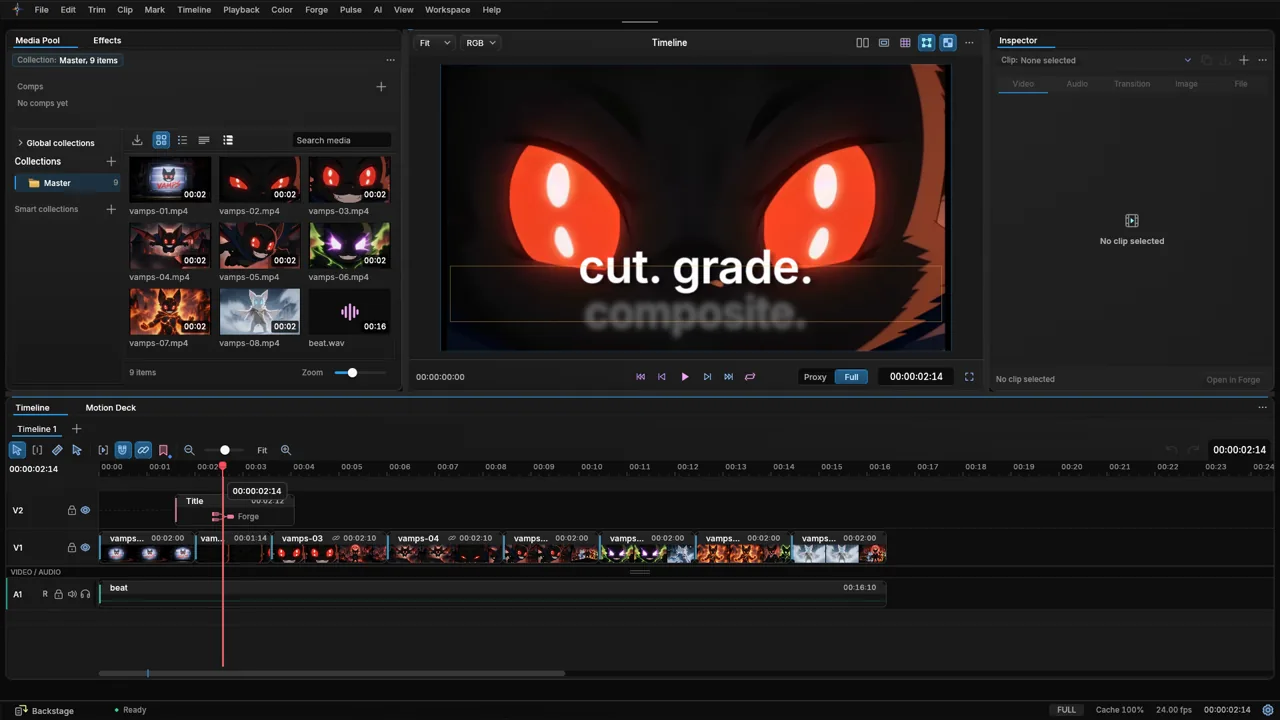
- Titles
- Title clips on a title track above the video.
- Animation
- Animated text over footage in the viewer.
- Forge
- A Text node for type inside a composite.
- Captions
- Local speech to text with the optional Captions pack.
AI tools
- Smart Matte
- Click selection and AI Roto, local or cloud.
- Enhance
- Upscale with Real-ESRGAN, Real-CUGAN and waifu2x. RIFE frame interpolation.
- Captions
- Local speech to text.
- Depth
- Depth maps for Image Studio.
- AI panel
- Connect a signed-in Claude Code or ChatGPT (Codex) on your PC to run edits on the timeline. Optional.
Deliver
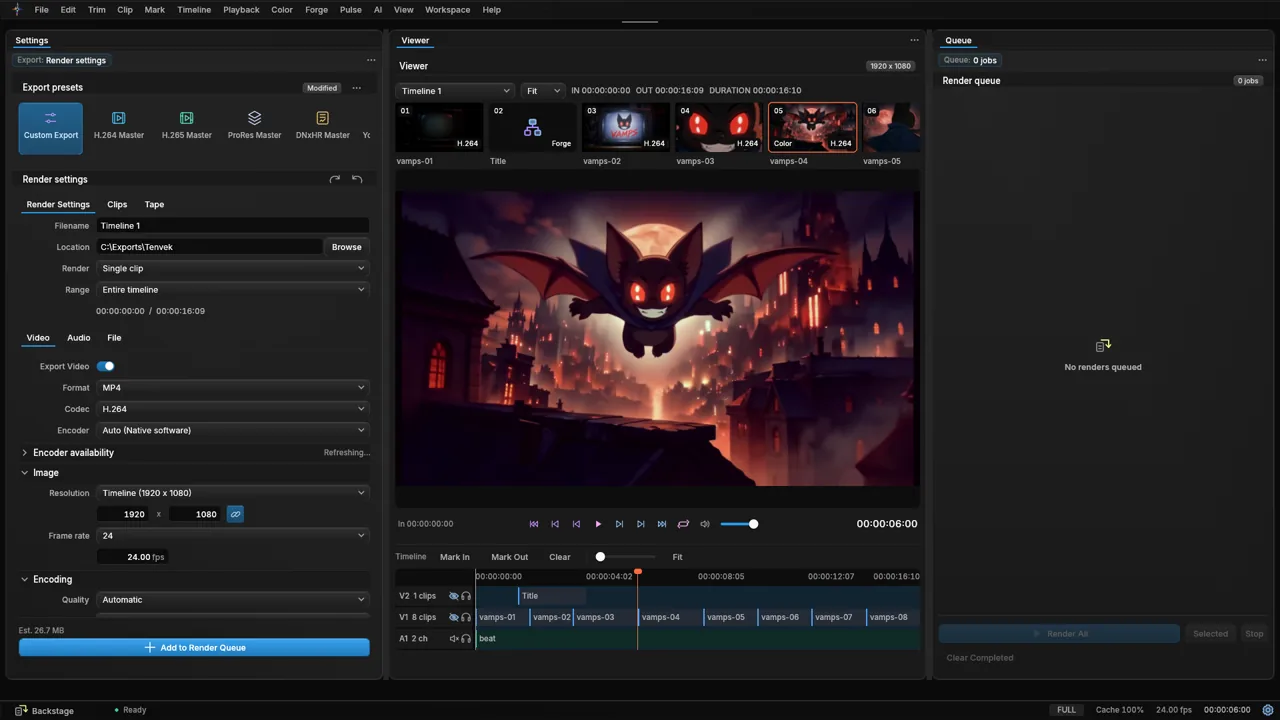
- Presets
- Custom Export, H.264 Master, H.265 Master, ProRes Master and DNxHR Master.
- Render settings
- Filename, location, single clip or timeline, range, format and codec.
- Queue
- Add exports to a render queue.
- Encoders
- Hardware encoding where your card has it, including NVENC.
Performance
- Tiers
- At startup Tenvek reads your video memory, RAM and cores and picks a minimum, standard or performance plan.
- Memory
- A memory governor gives up cache before a heavy project runs out of memory.
- Decode
- Hardware decode where your card has it, software decode where it does not.
- Lower resolution when busy
- Starts on for integrated graphics and 2 core PCs, so playback keeps moving.
- Graphics
- NVIDIA, AMD, Intel Arc and any DirectX 12 card.